
5 wild ways to use Nano Banana: professional images with no photographer and no designer
Nano Banana is one of the most capable image-generation engines in the world, and it does in seconds what once required a photographer, an interior designer and a whole ad studio. We've collected the five most worthwhile uses, and all of them run from a single image tool.
Every day another new AI trick gets published, but most of them stay in the realm of a cool demo you can't actually use at work. This is different. Each of the five approaches we'll go through is a practical use that saves real time and money, whether you own a business, work in marketing, or just want one high-quality image.
And most importantly: you don't need to master complicated prompts or sign up to ten different tools. Everything shown here runs from TodoAI's image tool, which runs Nano Banana alongside other leading models, in plain language and at the click of a button.

What is Nano Banana and how do you start?
Nano Banana is the nickname given to Google's image-generation engine (from the Gemini family), and its newer version, Nano Banana Pro, is considered one of the strongest on the market for creating and editing images. It can preserve a person's or a product's identity across images, understand instructions in free-form language, and edit one part of an existing image without wrecking the rest.
The simplest way to use it is through an AI-based image tool, with no install and no configuration. You just go in, upload an image or start from scratch, and write what you want. Now let's get into the five approaches.
The first way: a professional LinkedIn headshot at the click of a button
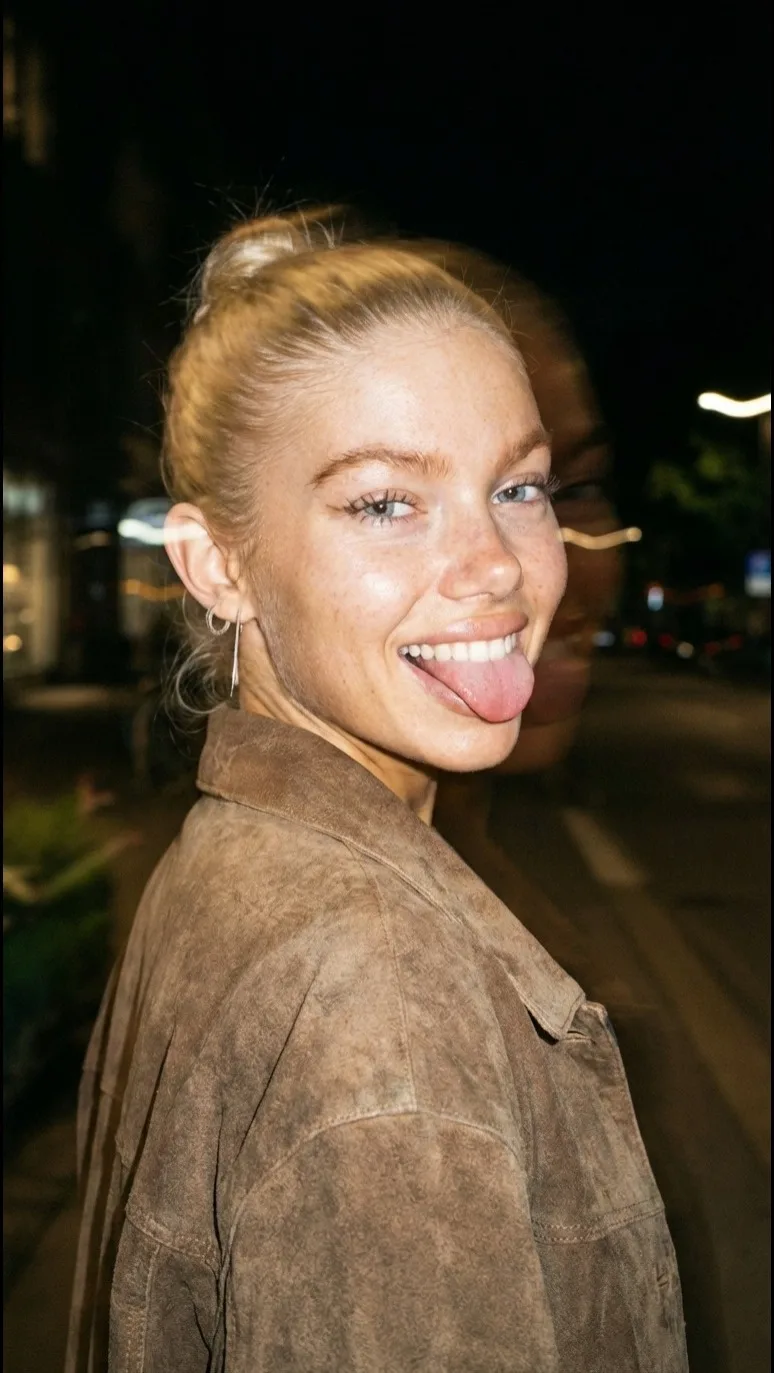

A professional first impression no longer demands an expensive shoot day. Instead of booking a photographer and paying hundreds, you upload an ordinary phone photo and get back a LinkedIn-style portrait. With our tool it doesn't even require writing a prompt: you pick the headshot action, upload one image, and click. That's it.
Who it helps: freelancers, job seekers, and whole companies wanting a consistent team page.
The second way: editing existing photos, adding or removing people

Took a nearly perfect photo, but someone wandered into the background or a detail is missing? Nano Banana can edit the existing image without harming the rest. You upload the photo and write in plain language what to change, for example: remove the people at the back on the left. Within seconds you get a clean version ready to use.
Who it helps: anyone who shares photos online, runs an online store, or uploads property images for clients. Instead of opening complicated editing software or paying a graphic designer for a small fix, you solve it in one sentence.
The third way: a consistent virtual model for your brand

You can create a character who presents your products again and again, with the same look and the same style in every image. That gives the brand a permanent presenter without hiring a model and without a shoot day. All you need to do is describe the character, for example:
a ugc style photo shot on iphone 17. a young woman with blonde hair and freckles smiles to the camera holding a product
Who it helps: shops, fashion and cosmetics brands, and content creators who want a consistent look. A small tip: add a personal detail of your own to the description (hair color, clothing style, background), so the character feels like yours rather than generic.
The fourth way: redesigning a room or a home

Want to see how the room will look after a renovation, before you've bought a single piece of furniture? Upload a photo of the current room and explain in simple words what to change, for example: give the room LED lighting, add a computer and a gaming chair. You get a realistic visualization of that exact room in the new design.
Who it helps: anyone weighing up a renovation, interior designers who want to show a client a direction within a minute, and estate agents who want to present a flat's potential. Instead of imagining it, you see it on screen.
The fifth way: ad creative in seconds, with no shoot day


This is perhaps the most valuable use for businesses. Instead of booking a product photographer and a stylist, you upload a simple photo of the product and describe the scene you want, and Nano Banana produces a visual ad ready to promote. The same bag photographed on a table becomes a polished campaign image with a background, lighting and atmosphere.
Who it helps: any business owner selling a physical product, online shops, and marketers who need fresh creative every week. Instead of an expensive shoot day that repeats itself, you produce dozens of ad variations from that one product photo.
How do you start? Step by step
- Open TodoAI's image tool, straight from the browser with no install.
- Upload an existing photo (a face, a product or a room), or start from a completely new image.
- Write what you want, or pick a ready-made action such as the one-click headshot.
- Click generate, and within seconds you get a result. If needed, tune the prompt and run again until it's right.
| The task | The old way | With Nano Banana at TodoAI |
|---|---|---|
| Headshot | Photographer and studio | One click on one photo |
| Photo editing | Graphic designer or software | One sentence |
| Brand model | A shoot day with a model | A consistent virtual character |
| Product ad | Product photographer and stylist | One product photo |
Frequently asked questions
What is Nano Banana?
Answer: it's the nickname for Google's image-generation engine from the Gemini family. It excels at editing and at preserving a person's or a product's identity across images. In TodoAI's tool it runs alongside other leading models.
Do you need to know how to write prompts in English?
Answer: not necessarily. You can write what you want in plain language, and for some actions (like the headshot) you don't need to write anything at all, just upload a photo and click.
What does it cost?
Answer: you can open TodoAI's tool and try all five approaches, and there are extended plans for heavier use. Current details appear in the tool itself.
Does the result look real or fake?
Answer: today's models reach a very high level of realism, especially when you start from a real photo of you or of the product. You can always adjust the prompt and run again until the result is convincing.
Can the images be used for business and advertising?
Answer: yes. The images suit social networks, your site, an online store and paid ads. When it comes to advertising, it's worth keeping the product fairly represented.
Good luck,
TodoAI

Our busy group,
tips and updates
Join the group and be among the first to hear about the hottest AI tools, tips and news, straight to WhatsApp and free.
Join the communityTopics in this article
9 tags- Nano Banana
- AI image generation
- AI photo editing
- product photography
- AI interior design
- virtual model
- LinkedIn headshot
- AI for business
- TodoAI